Lagu Tema - Janji Ditepati (Sambutan Hari Kemerdekaan ke-55) Lirik dan Lagu MP3
Macam malam ikut siang
Macam bulan ikut matahari
1Malaysia terus berjuang
Janji Kita ditepati
Kata Kita dikota
Janji Kita ditepati
Hidup Rakyat Dibela
Masa Depan Diberkati
Janji sudah ditepati
Kini masa balas budi
(Chorus)
Janji siapa? Janji kita
Janji apa? Janji 1Malaysia
Janji siapa? Janji kita
Janji apa? Janji 1Malaysia
Ini janji kita BR1M 1Malaysia
Ini janji 1Malaysia
TR1M 1Malaysia
Kata kita dikota
Kini 1Malaysia
Janji kita ditepati
Kedai 1Malaysia
DOWNLOAD MP3
Saturday, 13 October 2012
I Like It Like That lyrics by Hot Chelle Rae.
I Like It Like That is a brand new single by Hot Chelle Rae featuring New Boyz. This will be included on the American band's second studio album.
I like It Like That lagu terbaru oleh Hot Chelle Rae Featuring New Boy dan merupakan album studio ke-2 .
Let’s get it on, yeah, y’all can come along
Everybody drinks on me, buy out the bar
Just to feel like I’m a star, now I’m thanking the academy
Missed my ride home, lost my iPhone
I wouldn’t have it any other way
If you’re with me let me hear you say
I like it like that!
Hey windows down, chillin’ with the radio on
I like it like that!
Damn, the sun’s so hot, make the girls take it all off
I like it like that!
Yeah, one more time, I can never get enough of everybody
Sing it right back, I like it like that!
(I like it like that, I like it like that)
Till the break of the dawn, yeah, party on my lawn
Whistle as the girls walk by if the cops roll up (so what?)
Pour the cops a cup cause everybody’s here tonight
Call a taxi, pack the back seat
I wouldn’t have it any other way
If you’re with me let me hear you say
I like it like that!
Hey windows down, chillin’ with the radio on
I like it like that!
Damn, the sun’s so hot, make the girls take it all off
I like it like that!
Yeah, one more time, I can never get enough of everybody
Sing it right back, I like it like that!
Oh oh oh oh, like that
Oh oh oh oh, sing it right back, I like it like that
Oh my homie got the booze
I like it like that cause the girls playin’ beer pong in the back
We havin’ fun partying til the break of dawn
Go grab a cup I dunno what people waitin’ on
And I’m gonna want a girl that I know I can take home
In the zone, where I think that I lost my phone
You can tell by looking in, the party’s plain crack
And don’t worry ‘bout it girls cause I like it like
Come back stay here at my grandma’s house
And leave your clothes over there, that’s grandma couch
I be filmin’ her friends too, hit em back on that
Double D chicks huggin’, I got racks on racks
Lie, I know there’s a reason for superstar
I’m just tryin’ to chill with Miley at the hookah bar
You like cartoons? I’ll make your heart melt
With this sick tune, play it in the car
I like it like that!
Hey windows down, chillin’ with the radio on
I like it like that!
Damn, sun’s so hot, make the girls take it all off
I like it like that!
Yeah, one more time, I can never get enough, oh everybody
Sing it right back, I like it like that!
[x2]
Oh oh oh oh like that
Oh oh oh oh like that…
Oh oh oh oh everybody, sing it right back, I like it like that
I like it like that
DOWNLOAD MP3
I like It Like That lagu terbaru oleh Hot Chelle Rae Featuring New Boy dan merupakan album studio ke-2 .
Let’s get it on, yeah, y’all can come along
Everybody drinks on me, buy out the bar
Just to feel like I’m a star, now I’m thanking the academy
Missed my ride home, lost my iPhone
I wouldn’t have it any other way
If you’re with me let me hear you say
I like it like that!
Hey windows down, chillin’ with the radio on
I like it like that!
Damn, the sun’s so hot, make the girls take it all off
I like it like that!
Yeah, one more time, I can never get enough of everybody
Sing it right back, I like it like that!
(I like it like that, I like it like that)
Till the break of the dawn, yeah, party on my lawn
Whistle as the girls walk by if the cops roll up (so what?)
Pour the cops a cup cause everybody’s here tonight
Call a taxi, pack the back seat
I wouldn’t have it any other way
If you’re with me let me hear you say
I like it like that!
Hey windows down, chillin’ with the radio on
I like it like that!
Damn, the sun’s so hot, make the girls take it all off
I like it like that!
Yeah, one more time, I can never get enough of everybody
Sing it right back, I like it like that!
Oh oh oh oh, like that
Oh oh oh oh, sing it right back, I like it like that
Oh my homie got the booze
I like it like that cause the girls playin’ beer pong in the back
We havin’ fun partying til the break of dawn
Go grab a cup I dunno what people waitin’ on
And I’m gonna want a girl that I know I can take home
In the zone, where I think that I lost my phone
You can tell by looking in, the party’s plain crack
And don’t worry ‘bout it girls cause I like it like
Come back stay here at my grandma’s house
And leave your clothes over there, that’s grandma couch
I be filmin’ her friends too, hit em back on that
Double D chicks huggin’, I got racks on racks
Lie, I know there’s a reason for superstar
I’m just tryin’ to chill with Miley at the hookah bar
You like cartoons? I’ll make your heart melt
With this sick tune, play it in the car
I like it like that!
Hey windows down, chillin’ with the radio on
I like it like that!
Damn, sun’s so hot, make the girls take it all off
I like it like that!
Yeah, one more time, I can never get enough, oh everybody
Sing it right back, I like it like that!
[x2]
Oh oh oh oh like that
Oh oh oh oh like that…
Oh oh oh oh everybody, sing it right back, I like it like that
I like it like that
DOWNLOAD MP3
Labels:
download english song
5:00 Minit – Ramlah Ram Feat Caprice
Single 5:00 minit Ramlah Ram feat Caprice merupakan single pengenalan Album terbaru Ramlah Ram berjudul Aspirasi Hati. Lagu tersebut merupakan lagu ciptaan ID Mifzal, Komposer yang melonjakkan nama Ramlah Ram bersama SleeQ melalui lagu Hit "Sesaat Kau Datang" manakala lirik ditulis oleh BAM Ariz. Dapatkan album terbaru Ramlah Ram di pasaran.
(Caprice)
Good evening..sayang,
Its your boy C to the P
And I got 5 minutes, right about now
We got Ramlah Ram right next to me,
Let’s go
Good evening..sayang,
Its your boy C to the P
And I got 5 minutes, right about now
We got Ramlah Ram right next to me,
Let’s go
(Ramlah Ram)
Seandainya cinta ini bisa membahagiakan
Pastinya dunia ini akan ku miliki
Walau ku tidak mampu untuk meluahkan
Harapan cintaku ada dihati mu
Seandainya cinta ini bisa membahagiakan
Pastinya dunia ini akan ku miliki
Walau ku tidak mampu untuk meluahkan
Harapan cintaku ada dihati mu
Seharusnya aku dapat diberi peluang
Untuk menyayangimu sepenuh hati
Mungkinkah kau kan terima ku seadanya
Kerna ku belum tahu kau mencintaiku
Untuk menyayangimu sepenuh hati
Mungkinkah kau kan terima ku seadanya
Kerna ku belum tahu kau mencintaiku
(Caprice)
Yeah..yeah..yeah
What’s up girl, it’s your boy
Young hovo, so far and I’m trying closer
If friends talk, ain’t that great
Wait a minute girl, I believe in fate
From the day when we met
Day when you left
I’ve been thinking about you
Every day dayday
Yeah..yeah..yeah
What’s up girl, it’s your boy
Young hovo, so far and I’m trying closer
If friends talk, ain’t that great
Wait a minute girl, I believe in fate
From the day when we met
Day when you left
I’ve been thinking about you
Every day dayday
Siang malam ku menunggu
Kau buat ku huruhara
Really wanna holahola
Bila nak manja manja, wow
Kau buat ku huruhara
Really wanna holahola
Bila nak manja manja, wow
(Ramlah Ram)
Oh sayang kini engkau perlu tahu
Ku tak ingin menjadi pemuja rahsia
Mencintaimu satu saat yang bermakna
Ku menanti lafaz cinta tiga kata
Oh sayang kini engkau perlu tahu
Ku tak ingin menjadi pemuja rahsia
Mencintaimu satu saat yang bermakna
Ku menanti lafaz cinta tiga kata
Andai kau sang pencinta wanita
Kau pasti kan dapat melihat aku dimata mu
Jujurnya adakah kau sudah berpunya
Membiarkan hatiku dalam dilemma
Kau pasti kan dapat melihat aku dimata mu
Jujurnya adakah kau sudah berpunya
Membiarkan hatiku dalam dilemma
(Caprice)
Sebenarnya Caprice dah lama…
(Ramlah Ram)
Tiba waktu saat kunanti akhirnya pasti
Kaulafazkancintaseribupengertian
Lima minit yang ku tunggu saat bermakna
Kau kini menjadi milikku selamanya
Tiba waktu saat kunanti akhirnya pasti
Kaulafazkancintaseribupengertian
Lima minit yang ku tunggu saat bermakna
Kau kini menjadi milikku selamanya
Oh sayang kini engkau perlu tahu
Ku tak ingin menjadi pemuja rahsia
Mencintaimu satu saat yang bermakna
Ku menanti lafaz cinta tiga kata
Ku tak ingin menjadi pemuja rahsia
Mencintaimu satu saat yang bermakna
Ku menanti lafaz cinta tiga kata
Andai kau sang pencinta wanita
Kau pastikan dapat melihat aku dimata mu
Jujur nya adakah kau sudah berpunya
Membiarkan hatiku dalam dilema
Kau pastikan dapat melihat aku dimata mu
Jujur nya adakah kau sudah berpunya
Membiarkan hatiku dalam dilema
(Caprice)
There’s nobody else like me
Most likely and not like me
They are four maybe three
Take your two when I really got one
There’s nobody else like me
Most likely and not like me
They are four maybe three
Take your two when I really got one
Eyyo sayang jangan bimbang
Antara bintang-bintang
Dikau saja yang berkilauan
Ku sentiasa di awan nano nano,
Dikau saja yang berkilauan
Ku sentiasa di awan nano nano,
Yeah I know,
keangkasa,
I follow,
So we should get together
And pretend there’s no
Tomorrow tomorrow
keangkasa,
I follow,
So we should get together
And pretend there’s no
Tomorrow tomorrow
(Ramlah Ram)
Oh sayang kini engkau perlu tahu
Ku tak ingin menjadi pemuja rahsia
Mencintaimu satu saat yang bermakna
Ku menanti lafaz cinta tiga kata
Oh sayang kini engkau perlu tahu
Ku tak ingin menjadi pemuja rahsia
Mencintaimu satu saat yang bermakna
Ku menanti lafaz cinta tiga kata
Andai kau sang pencinta wanita
Kau pasti kan dapat melihat aku dimata mu
Jujurnya adakah kau sudah berpunya
Membiarkan hatiku dalam dilema
Kau pasti kan dapat melihat aku dimata mu
Jujurnya adakah kau sudah berpunya
Membiarkan hatiku dalam dilema
(Caprice)
Sayang jangan kau bimbang
Antara bintang-bintang
Sayang jangan kau bimbang
Antara bintang-bintang
Sayang jangan kau bimbang
Antara bintang-bintang
Sayang jangan kau bimbang
Antara bintang-bintang
Ramlah Ram and my name is C to the P
DOWNLOAD MP3
Labels:
download lagu melayu
Basic photoshop
Adobe Photoshop is a very powerful and versatile image editing/graphics creation application that is the industry standard in its category. Though Photoshop’s interface is intuitive enough for an absolute beginner to learn basic image editing tasks such as cropping and resizing, to be able to fully master and utilize all of its tools takes a considerable amount of time.
If you’re interested in honing your Photoshop skills to create spectacular compositions, this is for you. In this article, you’ll find 35 basic Photoshop tutorials for getting started with Photoshop.
General tutorials
1. Getting Started with Photoshop
If you’ve never had any experience with Photoshop, this tutorial from SitePoint will get you up to speed with Photoshop’s basic features.
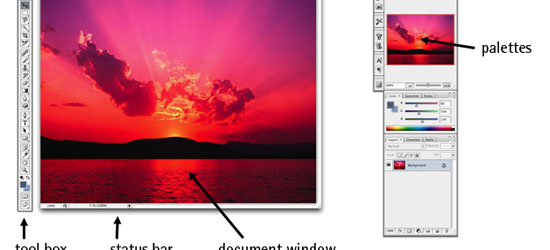
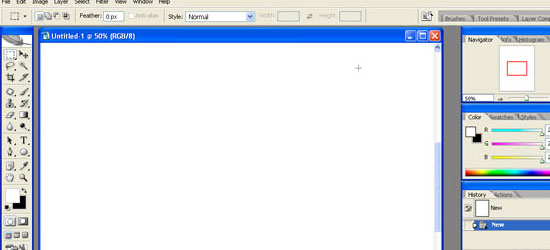
2. Adobe Photoshop Interface Tutorial
This tutorial outlines Photoshop CS2′s interface. Even if you use an earlier or later version of Photoshop, this tutorial is still helpful in familiarizing yourself with how Photoshop – in general – is laid out.
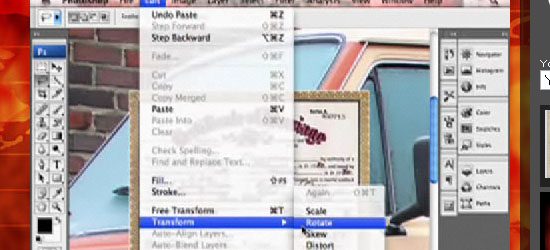
3. You Suck at Photoshop (series)
This wildly popular and humorous screencast on Photoshop techniques by (probably) fictional character Donnie Hoyle is an excellent Photoshop series to follow if you like laughing and learning at the same time!
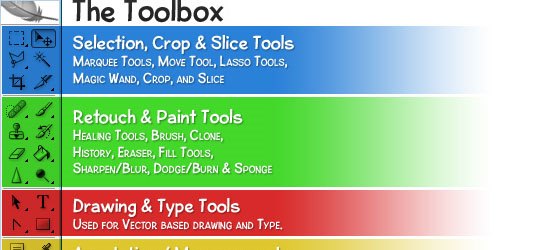
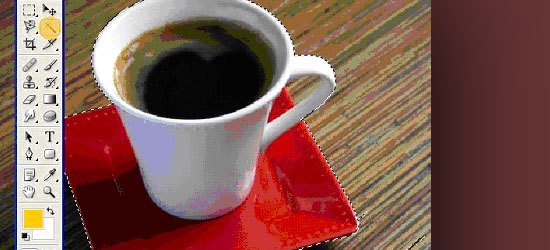
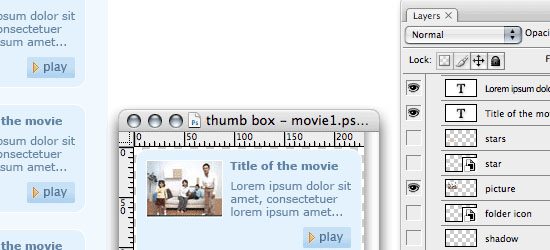
4. Photoshop’s Toolbox
This tutorial goes over the anatomy of Photoshop’s Toolbox.
Photoshop tools and features
5. Retouch and Healing Tools
Photoshop has a host of tools and options for retouching and correcting images. This tutorial goes over the tools at your disposal and what situations each tool excels in.
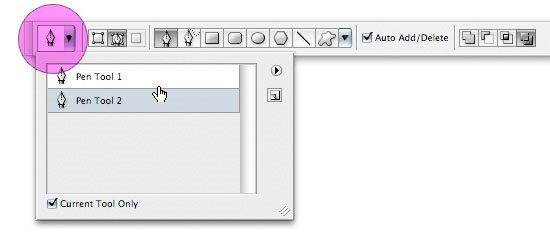
6. Photoshop’s Pen Tool: The Comprehensive Guide
Photoshop’s Pen tool gives you the ability to draw objects in a vector-like fashion. This thorough tutorial even comes with a practice sheet that will help you master the concepts of working with the Pen tool.
7. Photoshop’s Painting Tools
Photoshop’s Painting tools allow you to draw and fill in objects with colors and color gradients. This tutorial showcases Photoshop’s painting capabilities.
8. Photoshop Color Replacement Tool
Sometimes you want to replace certain colors in an image. With the Color Replacement tool – you can specify which colors you’d like to change and Photoshop will automatically replace them for you. This tutorial goes through the color replacement process and discusses all the things you need to know about the Color Replacement tool.
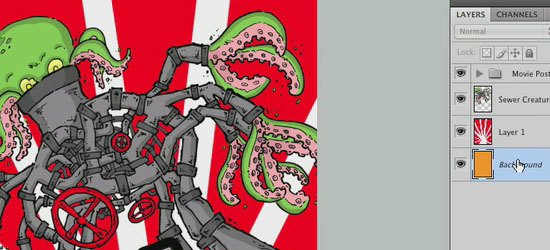
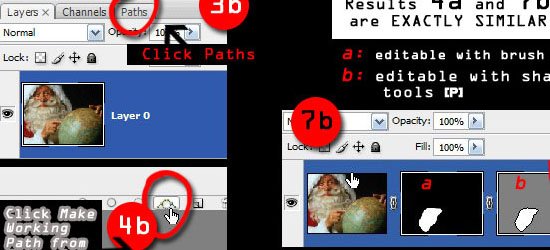
9. Understanding Layer Masks
One of the fundamental skills to learn in Photoshop is the art of masking (isolating certain parts of a composition). This comprehensive tutorial goes over the Layer Masking features of Photoshop.
10. Photoshop’s Image Masking Tools
There are different methods of masking objects in your Photoshop composition. This tutorial goes over the basic masking tools available to you.
11. Layer Styles in Photoshop
Layer Styles are the effects and options you apply to a particular layer. This tutorial discusses the concept of Layer Styles and how to utilize them in your Photoshop documents.
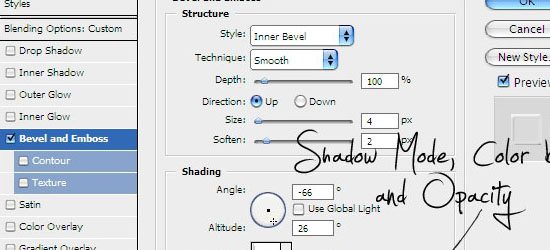
12. Understanding Bevel and Emboss
Bevel and Emboss is a particular Layer Style. There are many options you can tweak and change (such as the shading and the angle of light); this tutorial goes over what each option does.
13. Understanding Drop Shadows
Drop Shadow is another Photoshop Layer Style that applies a silhouette to the objects in a layer. In this tutorial, you’ll learn about the different options and settings of the Drop Shadow Layer Style.
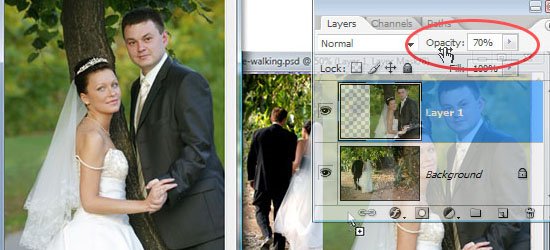
14. Introduction to Blending Modes
In this video tutorial, you’ll learn about the different Blending Modes available at your disposal.
15. Photoshop’s Filters
Photoshop filters are simply effects applied to your image (much like the concept of using photographic lens filters). For example, the Blur filter unsharpens the focus of your images. This tutorial goes over the Filters interface in Photoshop.
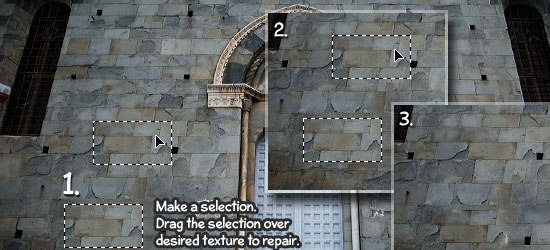
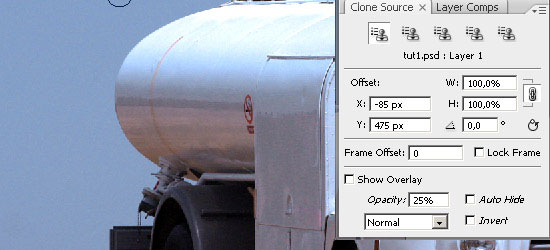
16. Useful Applications for the Clone Stamp Tool
This tutorial goes over some excellent uses of the Clone Stamp tool in Photoshop.
17. Getting to Grips with the Vanishing Point Filter
Master the Vanishing Point filter (a Photoshop filter that adjusts the image’s perspective) with this excellent Photoshop tutorial.
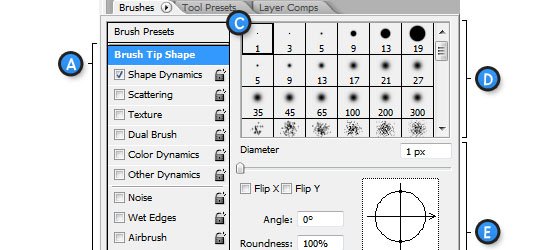
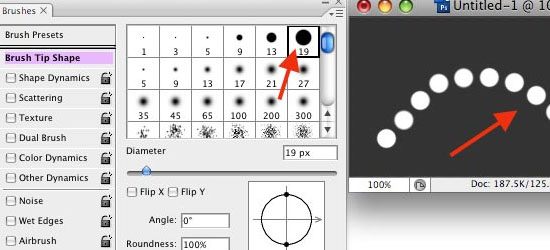
18. The Hidden Power of Photoshop Brush Tool
The Brush tool is a versatile drawing feature of Photoshop the mimics different art brushes and styles like water coloring, oil painting, or charcoal painting. This tutorial covers some of the best features of the Brush Tool in Photoshop.
19. "Background Eraser Tool" is the new Magic Wand
This tutorial goes over the usage of the Background Eraser tool in Photoshop.
Common tasks and techniques
20. A Comprehensive Introduction to Photoshop Selection Techniques
In order to become a Photoshop master, you’ll need to understand how to select different sections and objects in your composition. This guide goes over some techniques you can use to selectively isolate certain objects or groups of objects.
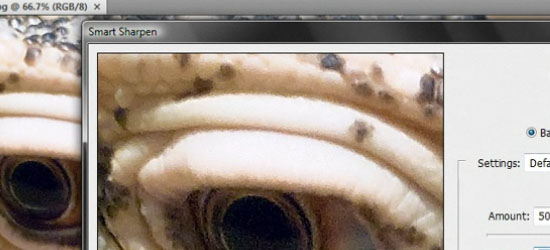
21. Sharpening the Details
You’ll often need to sharpen photos for image correction. In this video tutorial, you’ll learn about various sharpening techniques.
22. Saving Images for the Web
One of the most powerful features of Photoshop is its ability to save compositions in a variety of web formats. This tutorial explains the different options and settings of saving images for the web.
23. Create Your Own Custom Shapes in Photoshop
Custom Shapes are reusable objects in Photoshop. It gets stored in a library and you can access them later on from another Photoshop document. In this tutorial, you’ll learn how to create, import, and save your own custom shapes.
24. Photoshop Smart Objects, smart but not always that smart
Smart Objects are instantiated objects – that is, you can create multiple instances of a source object and make a change to an instance of that object while still keeping the original object intact. This tutorial goes over how to use Smart Objects.
Enhancing your workflow and efficiency
25. Using Pen Tablets in Photoshop
You can use a Pen tablet (an input device that lets you draw images directly into an image editor) over a mouse to create more accurate drawings by hand. This tutorial shows you the basic concepts behind utilizing a Pen Tablet to supplement your workflow.
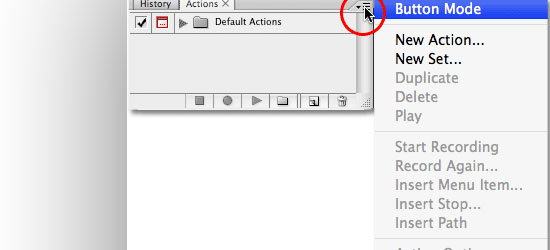
26. Automating Photoshop with Actions
An Action is a sequence of Photoshop tasks that you can repeat and reuse. For example, if you find yourself constantly resizing images to 550 pixels in width and then saving them in PNG file format, you can record a Photoshop Action that will apply these settings automatically. This excellent tutorial covers the basics of creating and using Photoshop Actions.
27. Using Palettes in Photoshop
Palettes are sets of tools and options that help you organize Photoshop’s interface. In this tutorial, you’ll get a great primer on how to take advantage of using Palettes.
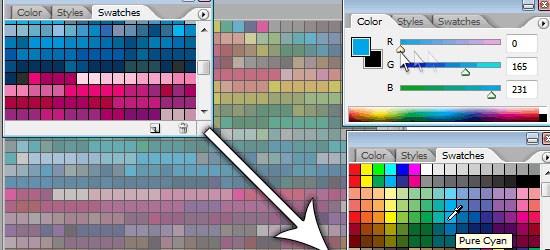
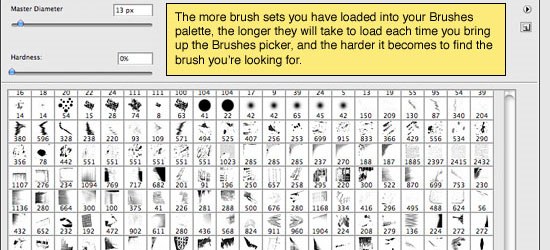
28. Installing and Managing Brushes & Other Presets
You can install pre-made brushes (instead of creating your own) in Photoshop as well as save important settings for future use. This tutorial will show you how to work with brushes and other Photoshop presets.
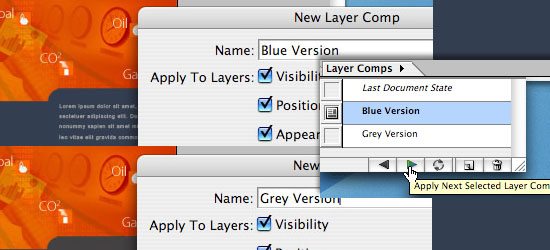
29. Layer Comps in Photoshop CS
A Layer Comp is a version of your composition that you can switch back and forth to. Learn a little about an actual use of Layer Comps.
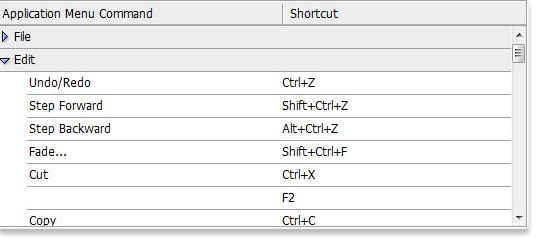
30. Photoshop Secret Shortcuts
Shortcuts enable greatly increases your efficiency. In this excellent tutorial, you’ll learn about some of the lesser-known but tremendously useful Photoshop shortcuts.
31. Manage your shortcuts in Photoshop
If you don’t like the preset keyboard shortcuts the Photoshop comes with out of the box, this tutorial will show you how to change and manage your Photoshop shortcuts.
Learning by doing
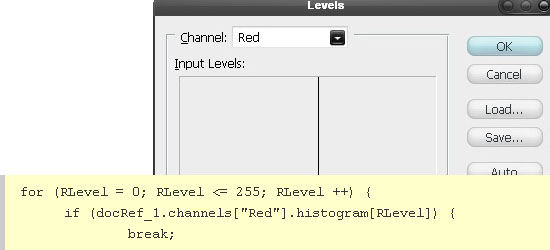
32. Manipulate an Image with Scripting
Scripting allows you to automate and extend Photoshop’s features by authoring your own code. Learn about Photoshop Scripting with this tutorial that uses image manipulation as a working example.
33. Use Photoshop’s Filters to Make Simple Illustrations
Learn to use Photoshop Filters to transform a photo into an illustration.
34. Custom made Seamless Texture Tutorial
Learn to create seamless textures in Photoshop.
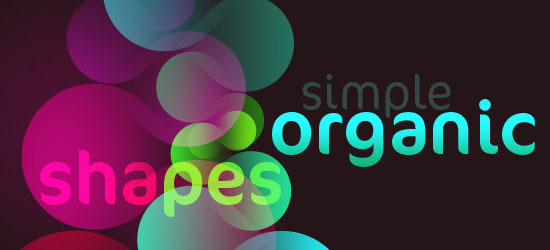
35. Simple organic shapes in Photoshop
This tutorial goes over a technique for creating simple organic shapes using several Photoshop tools and techniques such as the Shape Tool and Gradient Masks.
Got more?
Do you have a tutorial you think will help beginners get started with Photoshop? Pleaseshare it with us in the comments.
Labels:
photoshop
How to Make the Switch from iOS to Android
You've been hanging back, waiting for the dust to settle around the iPhone 5 debut. Now that the reviews are in, you're out. It's time to trade in the Cupertino Kool-Aid for some Jelly Beans. Here's how to do it right.

Contacts and Calendars
Migrating your contacts and calendar dates from iPhone to Android is as simple as setting up Google Sync. As long as you're running iOS 3.0 or above, and already have an active Google or Gmail account, you can do it directly through your phone:
- On your iPhone select Settings -> Mail, Contacts, Calendars.
- Set up a new "Microsoft Exchange" account (yes, even if you're trying to import from Gmail).
- Input your email address and login info. Enter a domain if you have one for an actual ME server; Gmail users can leave it blank.
- Select "Server" then either input the ME server address or "m.google.com" for Gmail.
- On the final screen, select what you want to import—Mail, Contacts, Calendars, and/or Reminders—then hit Accept.
Or you can do it through iTunes if you prefer, though you'll only be able to pull your contacts' vital fields like their names, job titles, email, postal addresses, phone numbers, and IM handle. To do so:
- Mount your iPhone onto your computer as an external drive using a USB cable and open iTunes
- Select your iPhone from the list on the left pane and select the "Info" tab
- Select "Sync Contacts With" and then choose "Google Contacts" from the drop-down
- Enter your Google log-in info when prompted then hit Apply to sync
Make sure you disable the Sync With Google option when you've finished otherwise the system will dump redundant entries into your contacts list.
All Your Media
For your music, videos, and pictures, you'll need to again mount your iPhone onto you computer as an external drive. If you are using a PC, open Explorer, locate the appropriate files on the phone and copy them to your desktop. Mac users, on the other hand, can just use Image Capture to download these files to the desktop or, on phones running ICS or above, Android File Transfer Utility. Once that's done, connect your Android to your computer and transfer the media files to the appropriate phone folder—images and video go to DCIM, music goes to, well, Music.
You may notice that your Android can't sync with iTunes, so you'll need an alternative service to load new media onto the device. Google Play is a solid option, allowing you to store up to 20,000 uploaded tracks for free (and loads your collection directly from iTunes), as well as Amazon Cloud Player, which offers 5GB of space for uploaded tracks at no charge. Or use Spotify.
When transferring SMS messages off the iPhone, My SMS is quite handy. This free app syncs text messages among your various devices—phones, tablets, laptops, and whathaveyou—and is compatible with both Mac and Windows. Simply download the app on both phones, follow the setup instructions and MySMS does the rest.
Extracting voice mail messages from your iPhone, on the other hand, can be a bit of a pain though it depends on how much money you are willing to spend. The least costly option (albeit most labor intensive) involves simply forwarding messages individually to your Google account. To do so, select the appropriate conversation in "Messages", click Edit and then Forward.
Now if you'd prefer to skip the drudgery of sending yourself old voicemail messages individually, programs like PhoneView (Mac - $30) and iExplorer (Mac and PC - $35) can be quite helpful. These programs pull data from your iTunes backup logs giving you access to virtually every file you've synced. You'll be able to copy not just voicemail to the desktop, but also your call history, contacts, bookmarks, notes, and media files as well.
Apps
Used to be, many popular apps like Instagram, Fruit Ninja, and Flipboard were iOS exclusives, leaving Android owners to either do without or settle for cheap imitations. However, with Android's recent meteoric rise in popularity developers can no longer afford to ignore it like a red-headed step-child and now regularly offer their wares for both systems. Games are an exception to this trend, unfortunately. Many developers have proven reluctant to port their games to Android and its menagerie of supported hardware, which is why you'll be hard-pressed to find iOS stalwarts like Plants vs Zombies, Chrono Trigger, or Infinity Blade on Google Play.
What you get instead are a bevy of features that don't exist in Apple's sandbox—widgets, for example. These home screen-based apps provide instant access to a variety of services; from Accuweather Forecasts to Rdio Playlists and native Android utilities like Gmail, Calendar, and Voice Search (which is like Siri but, you know, competent). And if you had the pleasure of using iOS 6 before jumping off the Apple wagon, Google Maps will be a welcome return. As will be the near infinite customizability of the OS. If you don't like your native app launcher, or background, or ringtone suite, or virtually any other aspect of how your phone functions or looks, there are thousands of options (most free) are available on Google Play to replace them. [Google 1, 2 - Tricky Ways - CNet - MSNBC - Ars Technica]
Labels:
tips
Upgrade Your Smartphone’s Music and Podcast Abilities This Weekend
Smartphones are the go-to music player for most of us nowadays, but the built-in options aren't necessarily the best. This weekend, upgrade your listening experience with some new apps, tricks, and audio gear.
Get a Better Music Player
The default music player on your Android or iPhone only does so much. Fortunately, there are plenty of alternatives. On Android we prefer PowerAMP for its powerful equalizer, handy tag editor, broad file compatibility, and many customization options. On iOS, our top pick is the default player but many of us prefer alternatives likePanamp for its amazing playlist support andTrack 8 for its elegant Zune-like interface. In fact, if you prefer the Zune look but have an Android, Noozy offers the same style and plenty of great features.Supplement Your Music Collection with Streaming Apps
Google Music is a great, free way to create a secondary online library. The web-based player works extremely well, and the Android app makes it a great option for your smartphone. While iOS users can download an unofficial app known as Gmusic, the experience isn't nearly as good as it is on Android. That said, Amazon Cloud Player works wonderfully on both mobile operating systems. While it costs $25 per year, it'll match your music collection with Amazon's so you don't have to upload every single file. Additionally, the cloud-based app also has access to your local library in addition to your cloud library so you can access everything without switching around. Of course, these services are best utilized for streaming the music you can't fit on your phone. If you want music you don't even own, you'll have to sign up for Spotify or Rdio. Neither service is perfect, and both cost a monthly fee to enable mobile streaming, but broaden your listening options significantly.
Customize Your Podcasts
Music isn't the only great thing to listen to on your smartphone. Podcasts are awesome, too (like ours). Listening to podcasts on your phone is so much better when you have a great app like Doggcatcher for Android orDowncast for iOS. Both apps allow you tocreate custom topic-based playlists so you essentially have on-demand talk radio stations at your fingertips. If you listen to a lot of podcasts, this is a great way to organize them and hear the lastest on any topic that you choose.Get a Great Pair of Headphones (or Upgrade Your Old Ones)
Happy Friday! Have a great weekend everybody!
Labels:
tips
Subscribe to:
Posts (Atom)